Ancillary Benefits Manager (ABM)
Ancillary Benefits Manager (ABM) is an Optum payer product for managing specialty health services like imaging, lab tests, and DME. Insurance companies outsource this part of their business to third party benefit administrators like Optum. (Insurance companies are the paying customers but providers are the end users).
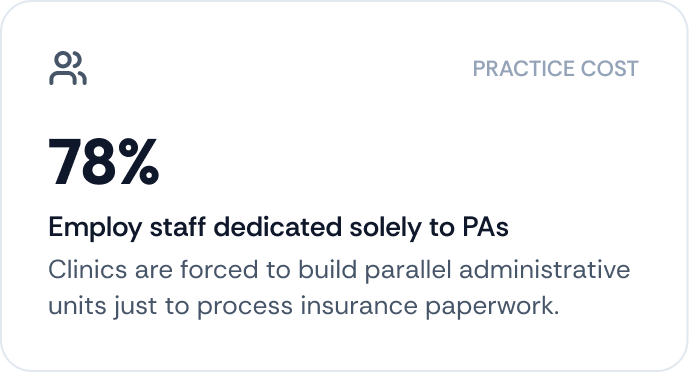
Prior authorization (PA) is a critical workflow but historically fragmented and inefficient—providers juggle multiple portals, unclear requirements, and fax-based communication, causing delays and frustration.
Problem
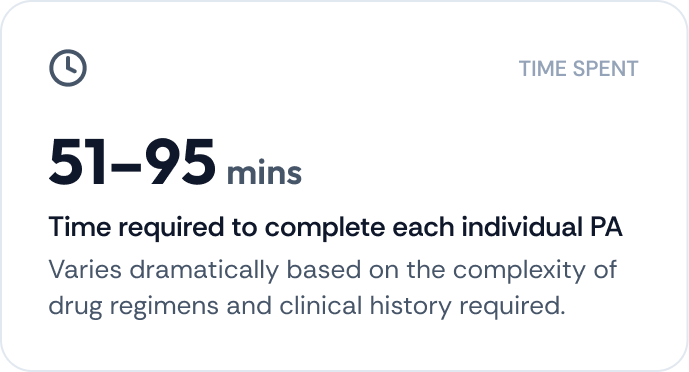
Providers waste time determining if PA is needed and gathering documentation, leading to care delays and administrative burden.
Opportunity
Build a unified ABM Authorization Portal to streamline PA submissions, reduce complexity, and improve patient care.
Research Findings
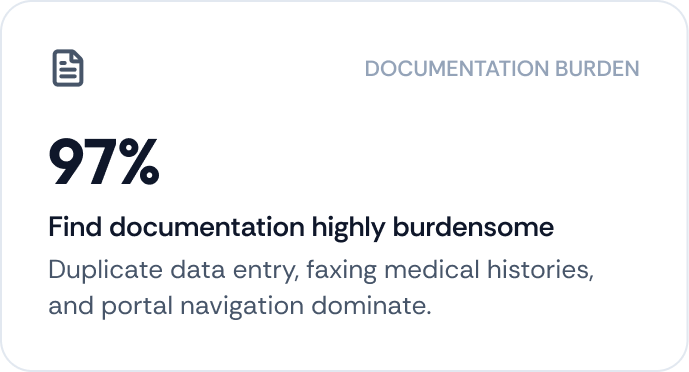
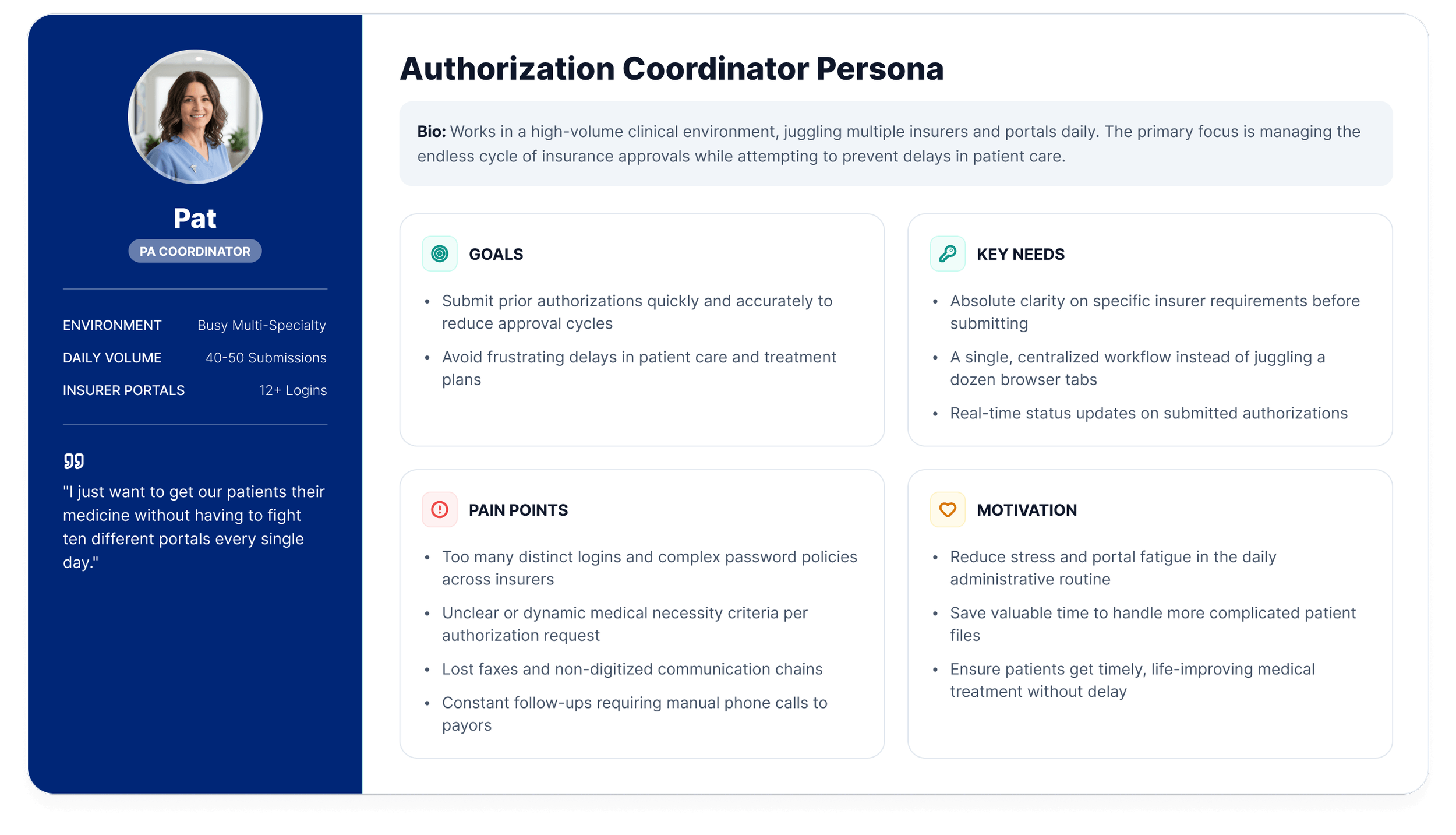
User Person & Needs
It all begins with an idea. Maybe you want to launch a business. Maybe you want to turn a hobby into something more. Or maybe you have a creative project to share with the world.
The Authorization Process & Design Solutions
Plan Two
It all begins with an idea. Maybe you want to launch a business. Whatever it is, the way you tell your story online can make all the difference.
-
Description text goes here
-
Description text goes here
-
Description text goes here
2. Gather Info & Fill Out PA Request form
Research Findings: Redundant data entry and errors cause delays; users want one-stop form.
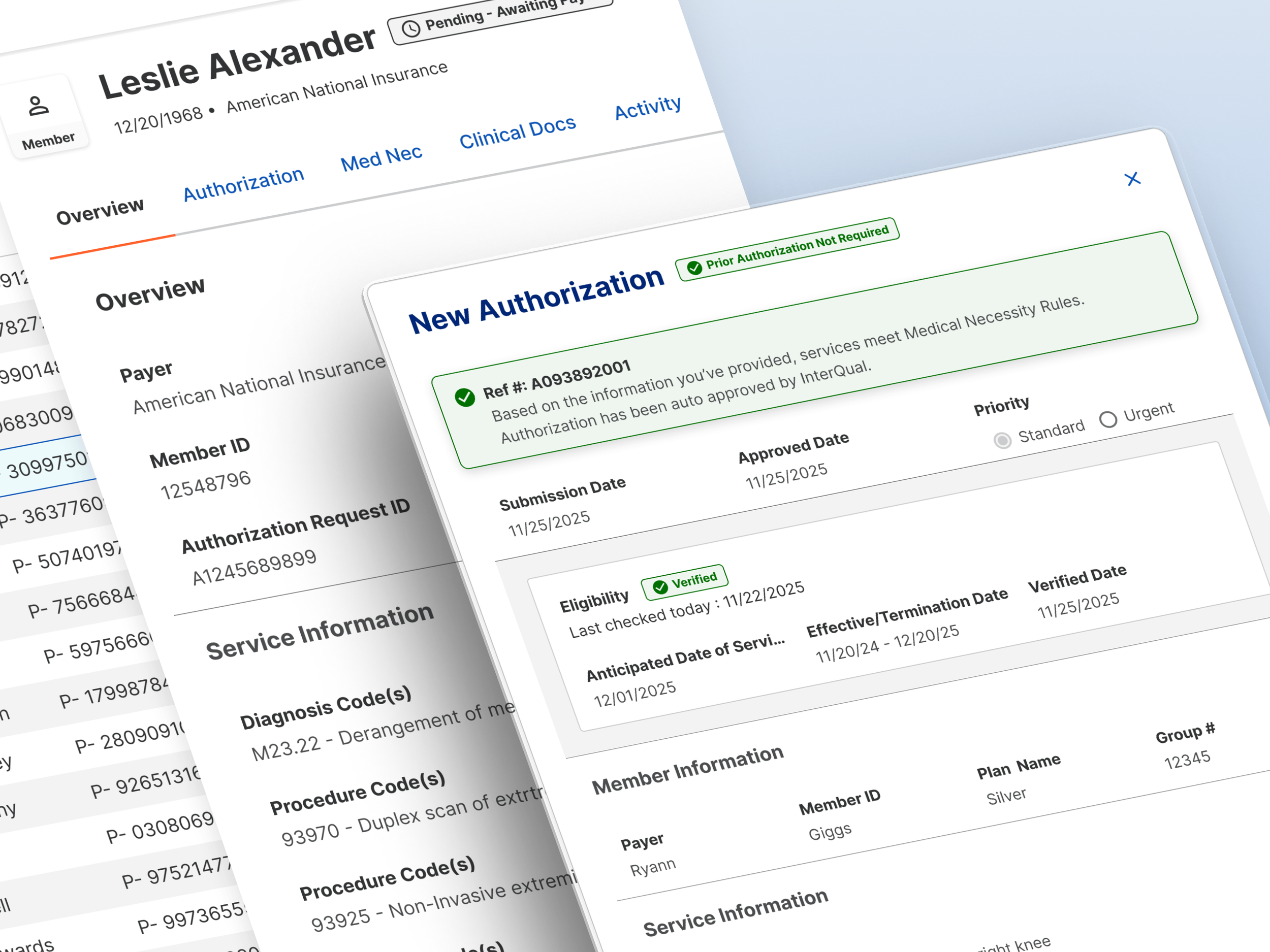
Design Solution: Unified form with pre-filled patient info, structured fields for service, diagnosis, provider, urgency. Controlled inputs reduce errors.
3. PA Requirement Determination
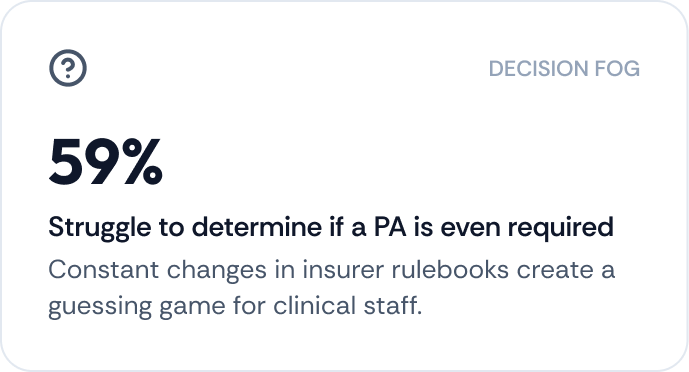
Research Findings: 59% of providers struggle to know if PA is needed; current process involves manual lookup or calls.
Design Solution: “Check if PA Needed” feature using rules engine and CRD (coverage requirement discovery) API. Instant yes/no with explanation and reference number for “No PA needed” cases.
4. Answer Clinical Questionnaires
Research Findings: InterQual questionnaires are confusing and time-consuming; users fear wrong answers.
Design Solution: Embedded dynamic questionnaire with conditional logic, plain-language tool tips, and progress indicators. Future-ready for AI-assisted auto-fill.
5. Upload Clinical Documents
Research Findings: Missing or excessive documentation leads to back-and-forth; faxing is unreliable.
Design Solution: Drag-and-drop upload with guidance on required vs optional docs, preview, and secure storage. Inline warnings for missing required files.
6. Outcome & Confirmation
Research Findings: Users feel uncertainty post-submission; lack of tracking causes anxiety.
Design Solution: Immediate confirmation screen with reference number, status (Approved or Pending), and print option. Auto-approval when criteria met.
7. Managing & Tracking PA Status
Research Findings: Providers manually track cases; missed updates lead to delays.
Design Solution: Dashboard listing all requests with color-coded statuses, filters, and alerts. In-app and email notifications for status changes and info requests.
1. Eligibility Verification
Research Findings: Users waste time submitting PAs for ineligible patients; eligibility checks happen in separate systems.
Design Solution: Integrated real-time eligibility check at start of workflow. Automatic validation with clear “Eligible/Ineligible” status before proceeding.