
Electronic Prior Authorization (ePA)
Overview
Change Healthcare has been strategically adopting DevOps approach to break down silos and promote seamless communication, automation, and continuous delivery of care.
To fully embrace the benefits of DevOps, we also needed to evaluate and restructure our entire product portfolio. Our offerings include a mix of in-house builds, customer-specific custom code, and solutions acquired through mergers and acquisitions. This fragmented setup posed challenges for scalability and maintainability.
As a solution, we introduced a taxonomy to organize our offerings into clear, structured categories:
Solutions → Suites → Products → Modules → Features → Services
This taxonomy became the foundation of the Change Healthcare Platform (SaaS), which allows healthcare providers to subscribe to the exact software components they need through a marketplace.
Clearance, previously delivered as a single, monolithic solution was deconstructed into modular components, making it easier to offer through a scalable, subscription-based SaaS model.
Leveraging our design thinking process, we conducted secondary research to gather and assess the state of Authorization in Healthcare. One relevant secondary source came from a 2017 study by the American Medical Association on Prior Authorization, which revealed:
83% of respondents submitted PA requests via fax
63% used paper forms
35% submitted directly through a payer website
Only 14% used an electronic transaction through their EHR or practice management system
These findings further validated the need for a more streamlined and modern approach to prior authorization.

Define the problem
Project Kick off
I was part of a cross-functional team responsible for reimagining the Electronic Prior Authorization (ePA) experience. The project spanned multiple iterations over several years as we partnered closely with operations leaders, authorization specialists, product management, and revenue cycle teams to understand how authorization work was actually performed.
Objective for Learning
What do we want to Learn?
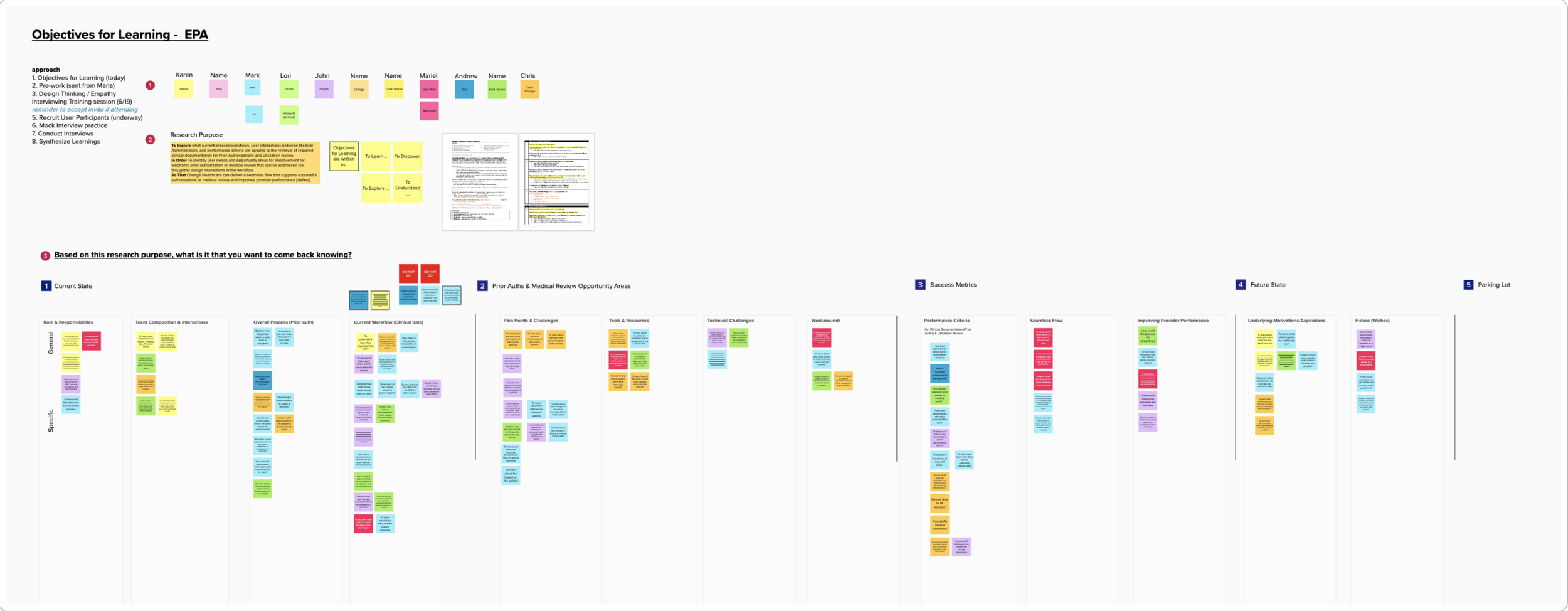

Prior authorization is one of the most complex operational workflows in healthcare revenue cycle management. Authorization specialists manage large volumes of requests while coordinating clinical documentation, payer requirements, approval statuses, and follow-up activities across multiple systems.
Our research aimed to identify opportunities to improve data gathering and medical review workflows—enabling Change Healthcare to deliver a more seamless prior authorization and review experience.
We gathered inputs, concerns, ideas, and feedback to foster a collaborative environment — giving us a clear direction and ensuring full alignment across the team.
Discovery Research
Research revealed that users spent significant time navigating between dashboards, work queues, search experiences, scheduling tools, reports, and provider engagement workflows. Users wanted faster access to work, fewer clicks, better visibility into priorities, and experiences tailored to their role.
A few targeted interview questions we asked include:
What are your main responsibilities and key areas you support?
What are the most critical aspects of your role or tasks you perform?
How much time per day do you spend on this task?
Are there certain pieces of clinical information that are routinely difficult to obtain, or take additional effort?
What determines what clinical data you send?


User Persona & Problem Statement
The problem statement
As an Authorization Role, I should be able to digitally gather & submit relevant clinical attachments during Prior Authorization for a faster & accurate Authorization approval from payers.
Ideation & Design Strategy
The existing experience reflected years of feature growth rather than intentional workflow design.
Users relied on:
Large, column-heavy work queues
Multiple navigation paths
Separate search experiences
Manual follow-up processes
Payer-specific workflows
Context switching between systems
Numerous status codes and documentation requirements.
As a result, users spent a significant portion of their day locating information rather than acting on it. Research discussions highlighted frustration with excessive navigation, dropdown-heavy interactions, difficulty finding information, and limited visibility into what required attention next.
From Dense Tables to Workspaces
Initial Concept: Reimagining Authorization Work Queue
By reimagining work queues, we aimed to
Improve operational efficiency
Reduce cognitive load from overwhelming spreadsheets
Increase case throughput by surfacing relevant information at the right moment
Improve visibility
Support the broader digital transformation from paper and fax-based processes to electronic workflows.
MVP: Retrieving Clinical Documents & Attachment
The project and visuals are the property of Change Healthcare and solely used to showcase my design contributions.
One of the most significant design shifts was moving away from dense table-based interfaces.
Historically, users were forced to scan large numbers of columns to understand a case. Using our design system, we proposed a list-and-detail workspace model where:
The queue remained focused on prioritization and navigation.
Rich case context moved into a dedicated detail pane.
Actions became contextual to the selected case.
This approach reduced visual complexity while preserving access to detailed information.
Our objective was to help users immediately understand what changed, what requires attention, and what action to take next.
Due to technical constraints, the MVP focused on clinical document attachments — an area where research showed users were spending significant time scanning and faxing documents to payers.
To simplify this process, we designed two workspaces that categorize authorizations into two queues:
Needs Review — Lists authorizations requiring clinical document attachment. Users review each one and mark it as complete to move it forward.
Marked as Reviewed — Contains reviewed authorizations ready for authorization specialists to finalize and submit to payers for approval.
ePA Module within Clearance
Another key strategic direction involved rethinking the module experience. Implementing ePA as a standalone application proved challenging due to business, client, and technical constraints.
The decision was made to launch ePA from within the existing Clearance application instead. On a dedicated page, authorization users could review and attach clinical documents, complete clinical questionnaires, and submit authorizations for payer review.
Evolution of the Authorization Form
The authorization form progressed through multiple iterations. It evolved from solely displaying procedure codes and errors to a robust, interactive form. We treated it as the case detail—providing all necessary information to the authorization specialist.
As the form grew longer, we leveraged progressive disclosure to guide users to the right information at the right time, along with a tracker so they always knew what was needed next. Through Clearance integration, we were able to surface document retrieval and clinical questionnaire completion upfront, enabling users to complete all essential steps to get authorizations approved by payers.